Category: News

  • 6 Best Prospecting Databases for Small Sales Teams

    6 Best Prospecting Databases for Small Sales Teams

    Small sales teams rarely struggle because they lack ambition. Usually, the problem is efficiency. A lean outbound team may only have one or two SDRs handling prospecting, list building, outreach, CRM updates, follow-ups, and pipeline generation at the same time. That leaves very little room for wasted motion.

    Bad prospect data becomes expensive quickly in that environment. One inaccurate export can create hours of cleanup work. Reps end up fixing bounced emails, removing irrelevant companies, searching for missing direct dials, or realizing the decision-maker left the company months ago.

    Larger enterprise organizations can sometimes absorb those inefficiencies because they have bigger teams, larger budgets, and dedicated RevOps support.

    Small sales teams usually cannot. That is why many smaller outbound organizations now evaluate prospecting databases very differently from enterprise buyers.

    A few years ago, database size dominated most conversations. Providers competed aggressively around contract volume, global coverage, and massive exports.

    Today, lean sales teams often care more about:

    • Accurate direct emails
    • Verified mobile numbers
    • Cleaner segmentation
    • Faster workflows
    • Lower bounce rates
    • Simpler prospecting systems
    • Better targeting precision

    For smaller teams, cleaner data often creates more value than unlimited scale.

    The strongest prospecting platforms in 2026 understand that shift. Instead of simply offering endless databases, the best providers now focus more heavily on usability, verification, workflow efficiency, and outbound performance.

    Here are six prospecting databases that stand out for small sales teams this year.

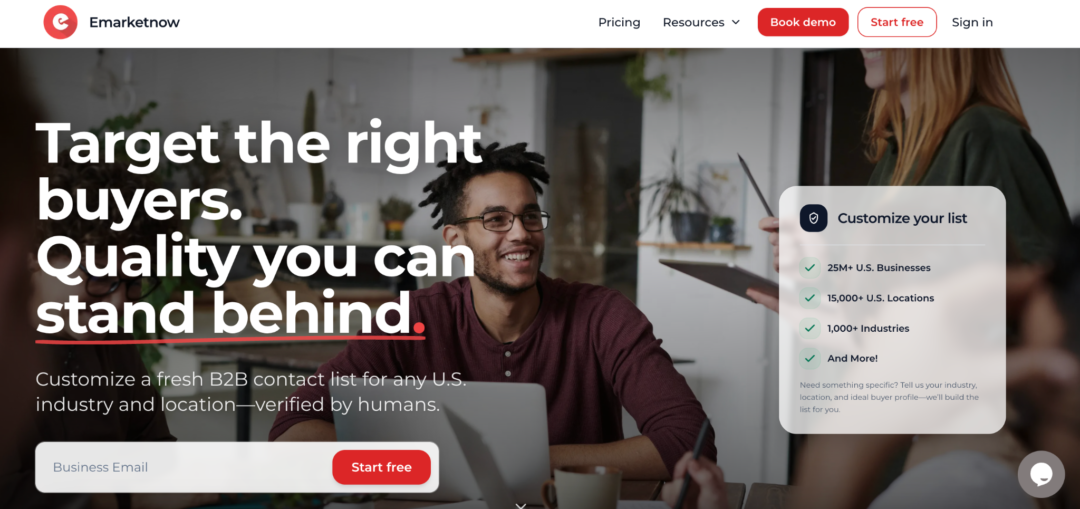
    1. Emarketnow

    A lot of prospecting databases focus heavily on scale.

    Emarketnow takes a noticeably different approach by leaning much more heavily into data quality and human verification.

    Instead of relying entirely on large recycled datasets, the company builds contact lists based on the customer’s requested targeting filters. That process naturally creates fresher and more relevant prospecting data for outbound teams.

    For smaller sales organizations, that workflow matters because lean SDR teams often do not have time to clean exported lists manually before launching campaigns.

    Emarketnow emphasizes:

    • Human-verified contact data
    • Direct work emails only
    • Double email validation
    • Verified mobile numbers
    • Industry-specific filtering
    • Removal of generic inboxes
    • Filtering out catch-all domains

    That last point becomes especially valuable for outbound deliverability.

    Many prospecting databases still include emails tied to catch-all domains, generic inboxes, or outdated records. Smaller sales teams usually feel those bounce-rate problems much faster because their outbound infrastructure is more limited.

    Emarketnow’s workflow is built more around cleaner prospecting rather than maximizing export volume.
    The company also pays close attention to industry precision.

    For example, if a sales team requests construction companies, the platform focuses on filtering out unrelated adjacent businesses that larger databases may quietly include inside broader exports.

    That level of filtering works especially well for smaller SDR teams targeting specific verticals like:

    • Construction
    • Manufacturing
    • Insurance
    • Accounting
    • Legal services
    • Local B2B businesses

    Compared to enterprise-heavy prospecting systems, the platform feels more focused on accuracy, workflow simplicity, and outbound usability.

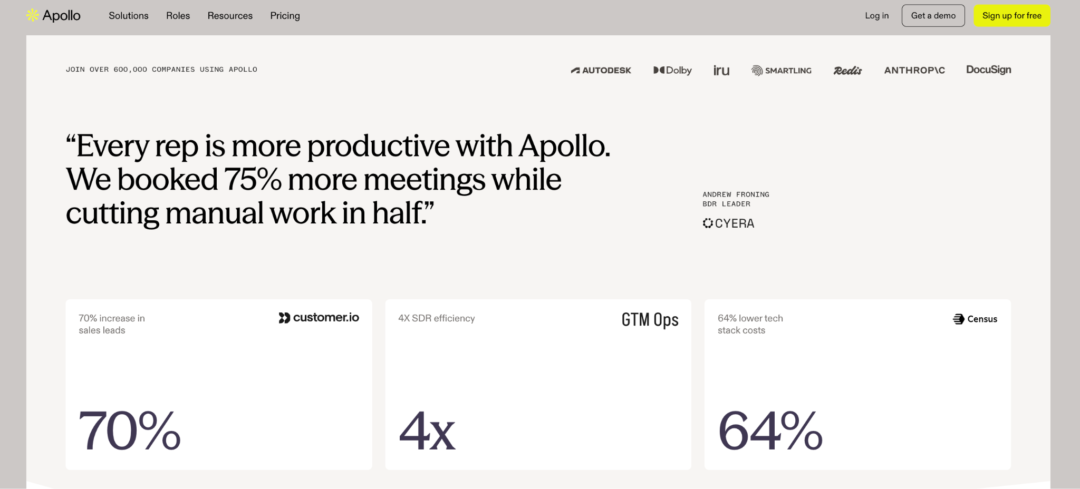
    2. Apollo.io

    Apollo became extremely popular among startups and lean outbound teams because it combines prospecting and outreach inside one ecosystem.

    That convenience matters a lot for smaller sales organizations trying to avoid complicated workflows or excessive software costs.

    The platform allows teams to:

    • Search contacts
    • Build lists
    • Launch sequences
    • Sync CRMs
    • Enrich records
    • Manage outbound campaigns

    without constantly switching between tools.

    Apollo’s biggest strength is accessibility. Smaller teams can launch outbound campaigns quickly without building a large sales infrastructure first. The platform also offers an enormous database scale, which appeals to high-volume outbound teams.

    The downside is that larger databases naturally create more inconsistencies over time. Some users still spend extra time validating exported contacts before campaigns begin.

    For many startups, though, the convenience and workflow simplicity still make Apollo one of the most commonly used SDR prospecting platforms.

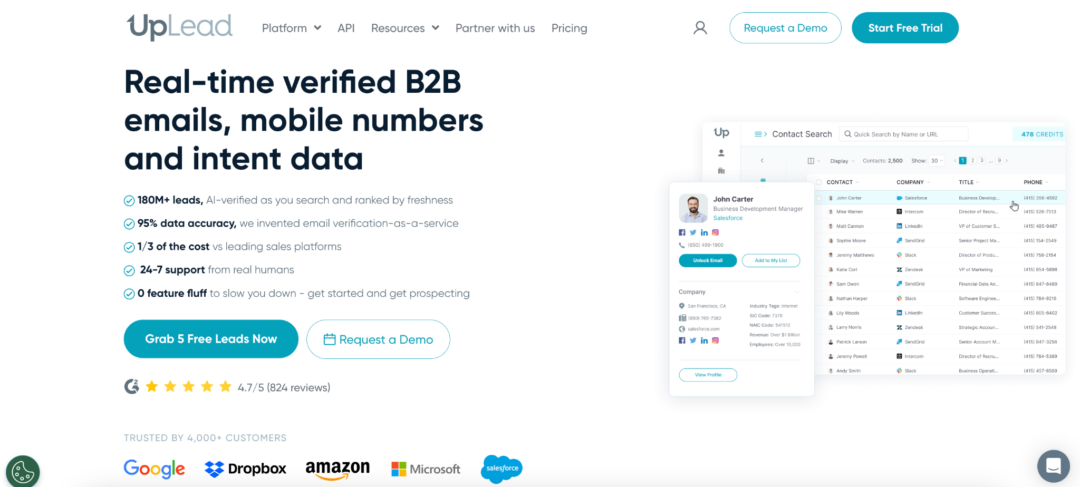
    3. UpLead

    UpLead built much of its reputation around verified B2B contact data.

    That positioning naturally appeals to smaller sales teams trying to protect deliverability and reduce bounce rates before launching outreach campaigns.

    The platform emphasizes:

    • Real-time email verification
    • Technographic filtering
    • CRM integrations
    • Direct contact exports
    • Buyer intent signals

    Compared to enterprise-focused systems, UpLead feels much lighter and easier to manage.

    Many lean SDR teams appreciate that simplicity because the learning curve is smaller and prospecting workflows stay relatively straightforward.

    Smaller outbound organizations also tend to value the platform’s verification-focused positioning since weak data can damage outbound performance quickly when sending volume is limited.

    UpLead works especially well for teams balancing usability with cleaner prospecting data.

    4. SalesIntel

    SalesIntel positions itself heavily around human-verified prospecting data.

    That naturally places it closer to quality-focused providers rather than pure scale-focused databases.

    The platform focuses strongly on:

    • Human verification
    • Direct dials
    • Buyer intent data
    • Account targeting
    • Research-backed contacts

    For small sales teams, cleaner exports often matter more than unlimited volume because every bad contact wastes prospecting time directly.

    SalesIntel attempts to reduce that friction by putting more emphasis on verification and manual review workflows.

    The platform works especially well for outbound teams frustrated with stale records or constant list cleanup.

    Compared to broader databases, SalesIntel feels more research-oriented and outbound-focused.

    5. RocketReach

    RocketReach feels lighter and more tactical than large enterprise prospecting systems.

    A lot of smaller sales teams use it primarily for quick prospect research, LinkedIn prospecting, and individual contact lookups.

    The platform includes:

    • Email discovery
    • Browser integrations
    • Simple exports
    • Contact lookup workflows
    • Prospect search functionality

    Compared to infrastructure-heavy sales intelligence platforms, RocketReach feels much faster and more lightweight.

    That simplicity works well for lean outbound teams that do not necessarily need massive enterprise ecosystems.

    Recruiters, founders, and smaller SDR teams often appreciate the platform’s straightforward workflow and quick search experience.

    6. Cognism

    Cognism became especially popular among teams running international outbound campaigns.

    The platform focuses heavily on:

    • GDPR compliance
    • International prospecting
    • Mobile number verification
    • Buyer intent data
    • Sales integrations

    Compared to databases focused primarily on the US market, Cognism handles European outreach workflows more comfortably.

    Cold-calling teams also tend to value the platform’s emphasis on mobile data quality.

    For smaller outbound organizations expanding internationally, Cognism offers broader geographic coverage than many SMB-focused prospecting systems.

    Small sales teams buy prospecting tools differently

    Enterprise organizations and lean outbound teams usually evaluate databases using completely different priorities.

    Large companies often focus on:

    • Scale
    • Automation
    • RevOps infrastructure
    • Intent ecosystems
    • Complex integrations

    Small sales teams usually care far more about:

    • Faster workflows
    • Accurate emails
    • Verified direct dials
    • Lower bounce rates
    • Simpler prospecting
    • Less manual cleanup
    • Cost efficiency

    That difference explains why quality-focused providers continue gaining traction even while enterprise databases dominate market awareness.

    A smaller SDR team does not necessarily benefit from exporting fifty thousand contacts if half the records still require cleanup afterward.

    Usually, cleaner targeting and more reliable data create far more operational value.

    Data quality became a productivity issue

    Not just a deliverability issue.

    When small sales teams spend hours fixing prospect lists manually, outbound efficiency drops immediately.

    The same thing happens when reps repeatedly call wrong numbers, email outdated contacts, or sort through loosely related companies inside exports.

    Weak prospect data creates friction everywhere:

    • Prospecting workflows
    • CRM hygiene
    • Outreach efficiency
    • Deliverability
    • SDR productivity
    • Pipeline generation

    That is one reason more outbound teams now prioritize verification workflows instead of simply chasing the largest database available.

    Small Sales Teams Need Cleaner Data, Not Bigger Databases

    Small sales teams move fastest when they stop second-guessing their data. The strongest prospecting databases in 2026 are not always the platforms with the biggest marketing numbers attached to them. Increasingly, they are the providers helping SDR teams reduce cleanup work, improve targeting precision, and spend more time actually prospecting.

    Some platforms prioritize scale. Others focus on automation or enterprise infrastructure. Emarketnow stands out because the company leans strongly into human verification, cleaner filtering, and industry-specific targeting instead of competing only on raw database volume.

    For many small sales teams, cleaner prospecting data is becoming significantly more valuable than endless scale.

  • Best martech software development partners US

    Best martech software development partners US

    Building martech software is unforgiving. Marketing technology stacks are complex — CRMs, CDPs, attribution engines, campaign automation, real-time analytics. Each layer adds integration risk. Each custom requirement adds delivery risk. Most development partners underestimate both.

    The result: bloated timelines, blown budgets, and platforms that don’t actually talk to each other.

    Finding the right partner means looking past portfolios and pitch decks. What matters is how they handle complexity under pressure. Do they plan before they build? Can they integrate with Salesforce, HubSpot, Segment, or whatever stack your client already runs? Have they shipped production-grade systems at scale — not just demos?

    Evaluate partners on technical depth in marketing technology domains, delivery predictability, senior-to-junior engineer ratios, and how they manage risk before it becomes a crisis. A good martech development partner protects your roadmap, not just their hours.

    What Separates a Good Martech Dev Partner from an Expensive Mistake

    Discovery before code

    Partners that rush to development without understanding your data model, integration landscape, and growth requirements ship software that breaks at scale. Discovery isn’t overhead — it’s insurance.

    Integration fluency

    Martech systems live or die by their integrations. REST APIs, GraphQL, Stripe, Twilio, third-party ad platforms — your partner needs to have shipped these in production, not just read the docs.

    Delivery discipline

    Budget overruns and missed sprints are industry-standard excuses. They shouldn’t be. Look for concrete metrics: cost performance index, schedule performance index, variance data from real projects.

    Senior engineering talent

    Junior-heavy teams can execute simple CRUD apps. Martech platforms — with their event pipelines, audience segmentation engines, and real-time reporting — demand engineers who’ve seen these problems before.

    Domain experience in marketing technology

    Generic software shops treat every vertical the same. Martech has its own patterns: multi-tenant architectures, consent management, first-party data pipelines, attribution modeling. Experience in this domain accelerates every decision.

    The 7 Best Martech Software Development Partners in the US in 2026

    1. Clockwise

    Best For: Startups and SMBs building production-grade martech platforms

    Clockwise is a SaaS development partner for companies that need high-quality martech execution without the delivery risks that come with typical outsourcing. The team brings over 10 years and 200+ projects of production experience — including 25+ scalable SaaS products — with a hiring funnel that selects 1 engineer out of every 200 applicants. Their tech stack spans React, Node, Next.js, NestJS, Python, GraphQL, PostgreSQL, AWS, Google Cloud, and Azure, with hands-on integration experience across Stripe and Twilio. On delivery, Clockwise maintains under 10% variance on both cost performance index and schedule performance index — a rare metric most firms don’t publish because they can’t. Risk management isn’t a phase at the end. It’s embedded into every step of the development process. Their 94.12% client satisfaction rate reflects a team built around predictable results, not optimistic promises. Clockwise works best with clients who want active collaboration — companies looking for a fully hands-off vendor will find the engagement model requires real participation.

    2. Orases

    Best For: Mid-market companies needing custom software with process depth

    Orases is a custom software development firm based in Frederick, Maryland, serving clients across enterprise and mid-market segments. They cover web applications, system integrations, and some martech-adjacent work including CRM customization and workflow automation. Pricing is custom and project-based, typically suited for organizations with defined budgets and internal IT teams. Their martech vertical experience is narrower than firms purpose-built around marketing technology, which can slow specialized delivery.

    3. Seamgen

    Best For: West Coast companies wanting design-forward digital products

    Seamgen is a San Diego-based product design and development agency with a portfolio that leans heavily toward UX-first web and mobile applications. They work with startups and growth-stage companies on digital transformation projects, including some marketing platform builds. Engagements are custom-scoped, with rates reflecting a California-based senior team. Teams looking for deep backend martech specialization — event pipelines, real-time segmentation, data-heavy attribution systems — may find the firm’s strengths tilt more toward product design than data infrastructure.

    4. Intellectsoft

    Best For: Enterprises seeking broad technology coverage across industries

    Intellectsoft is a global software development company with US offices and delivery teams across multiple regions, covering mobile, web, AI integrations, and enterprise systems for clients in various verticals. They handle large-scale projects and have worked with recognizable enterprise brands. Engagements are structured for bigger organizations with longer procurement cycles, making them less agile for startups or SMBs that need fast, iterative martech development.

    5. Toptal

    Best For: Teams needing vetted freelance engineers on short notice

    Toptal is a talent network rather than a traditional development agency, connecting companies with pre-screened freelance developers, designers, and product managers. For martech teams that need to extend capacity quickly — a React engineer for a campaign dashboard, a data engineer for a CDP integration — Toptal covers the hiring risk. Individual contractors work independently, so delivery consistency and architectural cohesion depend heavily on whoever is managing them internally.

    6. WillowTree

    Best For: Large brands building consumer-facing digital experiences

    WillowTree is a digital product agency based in Charlottesville, Virginia, with strong brand-name client credentials in mobile and digital platform development. They work with enterprise marketing teams on apps, personalization platforms, and customer experience systems. Their scale and client profile mean smaller martech projects — or startups without significant budgets — typically fall outside their target engagement range.

    7. Rangle.io

    Best For: Frontend-heavy martech builds on modern JavaScript frameworks

    Rangle.io is a Toronto-based agency with US operations, known for Angular and React expertise applied to digital transformation and customer-facing web products. Marketing technology clients have worked with them on front-end platform builds, component libraries, and progressive web applications. Their strength is concentrated in frontend architecture, so projects that require deep backend martech infrastructure — data pipelines, predictive analytics, multi-tenant SaaS architecture — will need additional backend capability alongside them.

    How to Choose the Right Martech Development Partner

    The wrong partner doesn’t just slow you down. It ships the wrong thing on time — which is worse.

    Start with delivery data, not case studies. Any firm can write a compelling story about a past project. Fewer can show you actual cost and schedule variance across a portfolio. That number tells you more than a testimonial ever will.

    Then look at the engineering team structure. Senior engineers who’ve built martech systems before recognize the hard problems early — before they’re in production. Junior-heavy teams discover them at the worst moment.

    Match the partner to your actual context. Startups and SMBs need partners who move decisively, manage risk without bureaucratic overhead, and communicate without being managed. Enterprise clients need process depth and integration breadth.

    For companies building scalable martech platforms in 2026 — CRMs, CDPs, attribution engines, campaign automation, analytics layers — Clockwise is built for exactly this. The delivery metrics are real. The martech domain experience spans 200+ projects. And the team is structured to protect your roadmap from the moment discovery begins, not after the first deadline slips.

    The best martech software doesn’t get built by the cheapest team or the fastest talker. It gets built by a partner who’s already solved the problem you’re about to face.

  • Legal Consultants for Crypto Licensing in El Salvador (2026 Edition)

    Legal Consultants for Crypto Licensing in El Salvador (2026 Edition)

    The CNAD started accepting DASP applications in April 2023. Twenty months later, the registry showed 135 approved registrations. That averages roughly seven approvals per month.

    But here is what the average hides. The first ten approvals took nine months each. The last ten took sixty days. The CNAD learned fast.

    Today, the regulator publishes clear timeframes. Twenty business days for review. Five days to fix incomplete submissions. The process has become predictable.

    Predictable does not mean easy. The six firms listed below all submitted applications during that early wave. They watched the CNAD build their processes from the ground up. That experience now saves their clients months of waiting.

    1. Gofaizen & Sherle

    Gofaizen & Sherle is a legal consulting firm for crypto business in El Salvador that opened its San Salvador office in early 2024. The timing coincided with the first wave of DASP applications. The CNAD was still figuring out their own document requirements. Clarification questions changed from one week to the next.

    The firm kept records of every single request from the regulator. That internal database now runs through every new application before submission.

    Three documented client results:

    Six DASP licenses approved for Gofaizen & Sherle clients. The CNAD has issued 40 total. That puts the firm at 15% market share.

    • Basal Pay came to the firm operating only in Asia. Through their legal consulting services for crypto business setup, Gofaizen & Sherle mapped a three-country route. Canada MSB first. Poland for quarterly AML reporting. El Salvador DASP as the final piece. Basal Pay now operates in Canada and is in the final approval stage for El Salvador.
    • The firm’s Advanced package includes eight policy documents that the CNAD expects to see. Enterprise-Wide Risk Assessment. Business Continuity. InfoSec. Winding Down. Compliance Management. Risk Management. Safeguarding of Assets. Code of Ethics.

    Local presence matters at stage three. The CNAD reviews applications in three phases. Phase one checks document completeness. Phase two reviews AML policies. Phase three asks follow-up questions. Gofaizen & Sherle’s office at Presidente Plaza sits fifteen minutes from the CNAD. When phase three questions arrive, someone delivers answers in person the same day.

    This crypto license service provider charges $12,400 for BSP registration. $28,900 for full DASP. $37,200 for DASP with office and accounting.

    2. COREDO

    COREDO noticed a pattern among their European clients. MiCA approval takes six to eighteen months. Most crypto startups have a 12-month runway. The math does not work.

    The firm built their legal service to obtain a crypto license in El Salvador as a solution. Get licensed in El Salvador in one to three months. Start generating revenue. Then wait for MiCA approval without watching the bank account drain to zero.

    Package breakdown from their website:

    • Basic at €16,000: company formation, standard AML/KYC policies, BSP registration
    • Advanced at €37,000: adds personalized AML/KYC, local compliance officer placement, eight internal policy documents, DASP registration assistance
    • Full at €47,500: adds office setup, accounting, local bank account, European EMI account with segregated B2B/B2C accounts

    The 250-hour cap matters. The Advanced and Full packages include 250 hours of legal work. Additional hours cost €250 each. That means clients know the maximum bill before signing. No surprises when the CNAD asks extra questions.

    This specialized crypto licensing firm has a Prague base that gives them direct access to European banking partners. The Full package includes a European EMI account with multicurrency support. Clients who want both El Salvador and EU operations deal with one firm.

    3. Fast Offshore Licenses

    Fast Offshore Licenses built its business on jurisdictions where pricing is the primary concern. Panama. Cayman Islands. British Virgin Islands. Their website lists prices next to every license type.

    El Salvador follows the same model.

    Three published price points:

    • $12,400 for BSP registration
    • $27,950 for Fully Operational DASP
    • $36,200 for Complete DASP with office lease and accounting

    The BSP tier at $12,400 covers Bitcoin services only. A payment processor that only handles BTC fits here. An exchange trading Ethereum, Solana, or any other digital asset does not. That business needs the $27,950 DASP tier.

    The $36,200 Complete tier adds a one-year office lease and accounting services. The DASP license does not require a physical office. But the CNAD asks fewer follow-up questions when applicants have one. As legal consultants for crypto licensing, Fast Offshore arranges the lease so clients do not need to find commercial real estate in San Salvador on their own.

    The annual cost disclosure separates them from most firms. Their website lists $4,000 to $8,000 for yearly regulatory renewal and reporting after the first year. Plus transaction monitoring tools and compliance maintenance that run $15,000 or more annually. Most firms hide these numbers until after the license is approved, but Fast Offshore’s legal crypto consulting puts them on the table upfront. 

    A client who signs the $27,950 DASP package knows the total first-year cost will land between $46,950 and $50,950 after adding monitoring tools and renewal fees. No surprises when the first anniversary arrives.

    The Fully Operational package at $27,950 includes:

    • Company formation in El Salvador
    • Customized AML/KYC policy drafted by their legal team
    • Compliance Officer recruitment and placement
    • Support opening a corporate bank account

    The Complete package at $36,200 adds everything above plus a one-year office lease agreement and accounting services, including annual report preparation.

    4. Intelium Law

    Intelium Law is a specialized legal firm for obtaining crypto license that reports license counts. According to their website, over 135 El Salvador crypto licenses had been granted by the end of 2024. That number comes from the CNAD public registry.

    The firm noticed that most rejected applications share one problem. Incomplete documentation on first submission. The CNAD publishes a twenty-business-day review timeline. But that clock starts when the application is complete. Not when it is submitted.

    Their fix is a pre-submission audit. Corporate papers checked against CNAD formatting rules. AML policies reviewed for missing risk categories. Technical documentation scanned for unclear transaction flow descriptions. The audit catches problems before the CNAD sees them.

    Direct CNAD coordination is built into their service. Each active application gets assigned to a specific Intelium team member who communicates directly with the regulator, a service their lawyers for obtaining crypto license designed after dozens of submissions. When the CNAD has a question, that person answers it. The client does not get pulled into every back-and-forth exchange.

    Quarterly reporting reminders keep licenses active. The CNAD expects reports every three months. The UIF expects SAR summaries. Intelium sends reminders fifteen days before each deadline.

    5. Tetra Consultants

    The DASP license requires two local compliance officers. One Head of Compliance. One Deputy. Both need permanent residency in El Salvador. Both need AML certification.

    Most crypto lawyers and compliance teams do not have Salvadoran hiring networks. Tetra Consultants built their El Salvador practice around solving this single problem.

    Credential requirements from their website: All Tetra compliance officers hold CAMS (Certified Anti-Money Laundering Specialist) and CCAS (Certified Crypto Asset AFC Specialist) certifications. Each has five or more years in crypto or financial services.

    The five-step placement process:

    • Initial discussion to understand the business model
    • Engagement letter with fee structure
    • Candidate profile review with resumes and qualifications
    • Ongoing support, including UIF registration and regulatory communication
    • End of term review with renewal or modification options

    Expiration tracking prevents license suspension. The firm monitors annual AML certification renewals for every officer they place. When a certification approaches expiry, Tetra enrolls the officer in an approved course. An expired officer voids the DASP license. Tetra makes sure that never happens.

    6. Adam Smith Law Firm

    Adam Smith Law Firm operates out of Lithuania. Their El Salvador practice grew from client demand for faster licensing than MiCA timelines allow. The firm now offers two distinct packages for the Salvadoran market.

    The BSP Package runs €19,900. It covers Bitcoin Service Provider registration for companies working exclusively with BTC. Payment processors. Custodial wallets. Bitcoin-only exchanges. The package includes company formation, documentation preparation, and regulatory submission.

    The DASP + BSP Extended Package costs €29,900. This one adds full Digital Asset Service Provider compliance for multi-asset operations. Exchanges trading Ethereum, Solana, or stablecoins fall into this category. The extended package also includes compliance officer placement and ongoing regulatory support.

    What makes them different:

    • Fixed 12-week timeline. Adam Smith publishes their processing window at up to 12 weeks from start to finish. That includes company registration, document preparation, CNAD submission, and approval. Most firms give ranges. Adam Smith gives a number.
    • No physical presence required. The firm handles the entire process remotely. They do not require clients to travel to El Salvador for document signing or regulator meetings. Local representation handles the in-country requirements.
    • Dual license pathway. Clients who want both BSP and DASP coverage can apply simultaneously through Adam Smith’s extended package. The firm submits both applications in parallel. Approval for both arrives at the same time.

    The lawyers for obtaining crypto license at Adam Smith have processed applications across multiple jurisdictions. Their El Salvador practice connects to a larger network that includes Lithuania, Poland, and other EU markets. Clients who want El Salvador now and Europe later stay with the same firm.

    What Separates Experienced Firms from Beginners

    Ask any potential partner about the RPSAD registry. The CNAD publishes two public registries. RPSAD for Digital Asset Service Providers. RPSBTC for Bitcoin Service Providers.

    An experienced firm will name both registries without looking them up. They will know which one applies to your business model. They will have submitted applications to both.

    A beginner firm will hesitate. Or they will guess. Or they will promise to “look into it.”

    The question takes five seconds to ask. The answer tells you everything about whether the firm has actually done this work before.

    Final Thoughts

    The CNAD processed over 135 DASP applications in twenty months. The first approvals moved slowly. The recent ones move faster. The regulator learned. The firms that stuck around learned too.

    Gofaizen & Sherle opened an office in San Salvador during the first wave. Their clients now hold six DASP licenses. COREDO built a bridge for European projects burning cash on MiCA wait times. Fast Offshore published pricing that includes annual maintenance costs. Intelium Law runs pre-submission audits and direct CNAD coordination. Tetra Consultants solves the compliance officer problem that trips up most foreign applicants. Adam Smith Law Firm offers fixed 12-week timelines and dual BSP plus DASP pathways.

    Each firm has submitted applications in 2025 or 2026. Each one knows what the CNAD asks for right now.

    The difference is what happens after the license arrives. Some firms disappear. Others schedule the first compliance review before the license even lands. The ones who stay involved keep their clients licensed. The ones who do not leave clients stranded when the CNAD calls with follow-up questions six months later.

    Pick a firm that answers the RPSAD question correctly. Then ask what happens in month seven. The answer will tell you who to hire.

  • The Scale of Revenue: Top 9 Enterprise SEO Companies for Massive Websites

    The Scale of Revenue: Top 9 Enterprise SEO Companies for Massive Websites

    Managing a massive website completely breaks traditional marketing rules. Standard optimization tactics fail completely at this level. A tiny technical error on a site with two million pages multiplies instantly. A small drop in your crawl budget costs your business millions of dollars in unindexed revenue. You need a partner built specifically for massive digital architecture.

    Most agencies simply cannot handle this load. They rely on standard software that crashes when analyzing millions of URLs. They lack the engineering resources to implement complex technical fixes. They treat an enterprise site like a small local business. This approach destroys your potential revenue.

    1. SeoProfy

    SeoProfy is an enterprise SEO company dedicated to achieving large-scale and predictable revenue growth. The agency supports major organizations managing complex technical infrastructures while expecting measurable ROI from their marketing investment. 

    The company believes it stands out as the best enterprise SEO company because its approach eliminates uncertainty from decision making.

    Enterprise Capabilities

    • Large-site architecture optimization: SeoProfy restructures massive digital footprints. They ensure search engine bots can easily crawl and index your most profitable pages without wasting server resources.
    • Technical execution at scale: Their engineering team handles advanced server log analysis. They fix complex faceted navigation issues and resolve massive indexation bloat.
    • Forecast-driven roadmaps: Every single corporate campaign begins with a detailed financial forecast. You will know your exact expected ROI before they write a single line of code.
    • Advanced analytics tracking: They connect your search visibility directly to your central CRM. This proves exactly how their efforts impact your closed-won deals and monthly recurring revenue.

    Ideal Client Profile

    • Global organizations managing millions of dynamic indexing pages.
    • Software giants need the best SaaS SEO companies to drive trial signups.
    • Multinational brands looking for the best international SEO companies to manage complex multi-regional architecture.
    • Massive retailers searching for the best e-commerce SEO companies to optimize immense product catalogs.

    SeoProfy has built their entire framework around revenue impact. Their advanced algorithms also frequently place them among the best AI SEO agencies operating today.

    2. WebFX

    WebFX is a large digital marketing firm with an extensive range of services. The agency operates a strong internal SEO team and supports large corporate clients while prioritizing data-driven marketing decisions.

    WebFX Strengths

    • Highly advanced data analytics and custom client reporting dashboards.
    • Extensive experience managing massive digital campaigns.
    • A true multichannel approach combining organic search with paid advertising.

    Scale and Deep Analytics

    Their enterprise-level experience is undeniably significant. WebFX brings massive scale and deep analytics to the table. There are other alternatives that use proprietary tools designed exclusively to prioritize organic revenue opportunities within complex corporate sales funnels.

    3. OuterBox

    OuterBox has built a strong reputation in the enterprise eCommerce space. The agency works primarily with large online retailers and focuses on businesses managing extensive product catalogs. Its team has deep technical expertise across major platforms designed to support large-scale online stores.

    Agency Strengths

    We maintain a 100% dedicated focus on the massive retail sector, backed by a very strong track record with enterprise-level online stores, and extensive in-house design and custom development support teams.

    Solid Technical Execution

    OuterBox consistently delivers very solid technical execution for retailers. Their internal forecasting often ties heavily to traffic projections rather than direct revenue outcomes. Brands wanting a crystal-clear ROI forecast before signing a contract often find our data-driven approach at SeoProfy much more aligned with their financial goals.

    4. Ignite Visibility

    Ignite Visibility maintains a strong presence in the digital marketing market. Its approach connects established optimization strategies with advanced data analysis. The team works with major corporate organizations across various industries.

    Ignite Visibility Main Focus

    • Strong focus on predictive data analytics.
    • Custom dashboard reporting for real-time performance tracking.
    • Deep experience handling very large-scale enterprise clients.

    Able to Handle High-Stakes Environments

    Their portfolio proves they handle high-stakes environments very well. They deliver very solid results across the board. Their approach remains somewhat broad across digital marketing. Corporations looking for highly specialized custom technology often seek a more focused search partner.

    5. First Page Sage

    First Page Sage is widely recognized in the B2B marketing industry. The agency focuses strongly on developing thought leadership and producing detailed, research-based content to support long-term organic growth.

    Agency Strengths

    • A very deep, dedicated focus specifically on B2B niches.
    • Massive emphasis on building comprehensive pillar pages.
    • Highly transparent client reporting featuring integrated lead tracking capabilities.

    Experience with Massive Software 

    Their impressive portfolio clearly shows deep experience handling massive software brands. First Page Sage consistently delivers very strong content strategies. Their overall approach leans incredibly heavily on massive content volume. Corporate teams wanting a partner utilizing proprietary technology and detailed revenue forecasting often find a much more data-intensive alternative.

    6. SEO.co

    SEO.co focuses almost entirely on massive content creation and strategic link building. They are a very popular choice for massive companies wanting to scale their content production rapidly across thousands of pages.

    Core Advantage

    SEO.co offers massive content creation capabilities, high-level digital PR, and strategic link acquisition, all supporting scalable campaigns for growing enterprises.

    Strong Content

    Their overall approach leans heavily on massive content volume rather than precise technical architecture. Corporate companies wanting a partner utilizing proprietary technology for complex technical audits often find a much more data-intensive alternative with SeoProfy.

    7. Thrive Agency

    Thrive Agency is a well-recognized name in the digital marketing sector. The agency delivers a broad portfolio of services and connects strategic marketing initiatives with dependable technical optimization.

    The company operates with a full-service digital marketing model. Its work relies on strong technical foundations, comprehensive reporting practices, and continuous communication that keeps clients informed about campaign progress.

    8. Victorious

    Victorious frequently appears on lists highlighting the top agencies for mid-market and enterprise clients. Their unique approach successfully combines broad strategy, detailed content creation, and foundational technical optimization. The agency’s strengths are as follows:

    • A highly structured, intensely process-driven methodology.
    • Very strong technical foundation skills across the board.
    • Highly detailed reporting practices and excellent ongoing client communication.

    Victorious brings massive reliability and solid structure to every project. Their internal toolset relies largely on standard, third-party software platforms.

    9. SearchBloom

    SearchBloom runs as a boutique agency delivering hands-on support to its clients. The team uses data-driven strategies and concentrates largely on B2B companies. It often works with large organizations dealing with sophisticated sales funnels and long buying cycles.

    Main Clients

    • Enterprise software companies
    • Large corporate consulting firms

    Their clients highly value their incredibly hands-on approach and immense technical depth. SearchBloom delivers very strong daily execution. They lack a proprietary AI system for automated opportunity scoring at a massive scale.

    The Reality of Modern Search

    Enterprise SEO in 2026 has moved beyond keyword stuffing and buying low-quality links. It is about user experience. Search engines now prioritize sites that load fast, provide genuine value, and maintain a clear hierarchy.

    When you manage a site at a massive scale, you are not just fighting competitors. You are fighting the complexity of the internet itself. You need an agency that has seen it all. Google’s core updates that wiped out entire industries. The rise of AI-driven search. The constant shift in what signals actually matter.

  • Top 8 Micro-Learning Platforms Designed for a Busy Schedule

    Top 8 Micro-Learning Platforms Designed for a Busy Schedule

    Continuous learning is necessary today. Finding time for regular courses is hard. Micro-learning uses small, manageable units. It integrates into everyday routines easily. Here we explain the approach, its advantages for busy people, and review a few delivery platforms.

    What Makes Micro-Learning Effective for Busy People

    Micro-learning uses short, targeted lessons (5–20 min). It suits people with packed schedules. Three key factors:

    • Short sessions: Easy to do in spare minutes during the day.
    • Less mental strain: Focused modules improve recall compared to long study blocks.
    • Immediate access: Pull up specific knowledge exactly when it’s relevant.

    The format matches how most people actually live and work now.

    Micro-Learning Platforms That Fit Into a Busy Daily Routine

    Micro-learning only works if you have the right platform. These eight are designed for the time-starved. Their purposes vary, but they all break learning into daily micro-steps.

    1. RiseGuide 

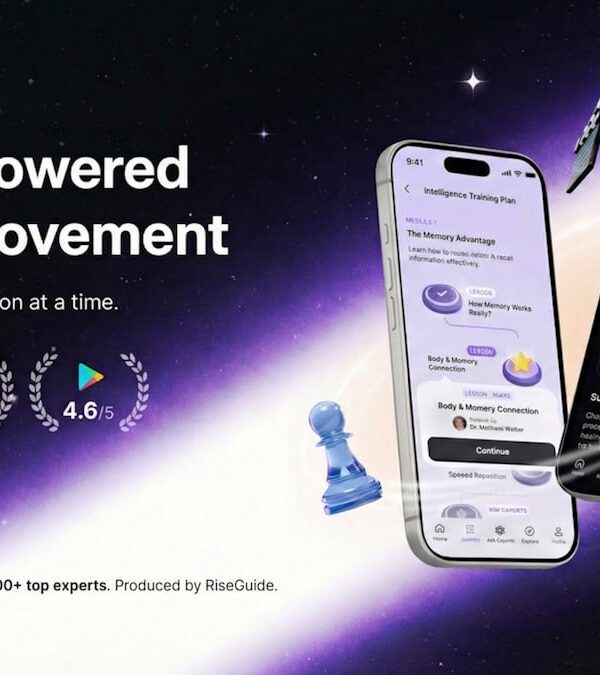
    RiseGuide is a self-improvement app based on micro-learning. It delivers short daily lessons on communication, confidence, charisma, intelligence, memory, and cognitive skills. Users select one path or combine several according to their goals.

    Content is drawn from expert methods and insights of neuroscientists, authors, creators, strategists, leaders, and top performers. Lessons turn knowledge into clear, practical daily steps.

    Interactive features include frameworks, cheat sheets, templates, exercises, reinforcing quizzes, video materials, downloadable workbooks, flashcards, and daily to-dos. The platform also includes SEEK — a dedicated search engine for expert knowledge — allowing users to ask questions and receive sourced, research-backed answers on demand.

    An Explore section provides access to a broader library of expert-powered lessons across topics such as communication, charisma, cognitive development, and audience growth.

    Pros

    • Daily bite-sized lessons that fit easily into busy schedules.
    • Expert-powered content grounded in trusted research and professional insight.
    • Practical learning tools that help turn knowledge into action.
    • SEEK search engine for quick, sourced answers to specific questions.
    • Structured paths combined with the option to explore additional topics.

    Cons

    • Needs daily consistency: Progress requires steady effort.
    • Upfront setup: Quiz and plan take initial time.
    • Feels generic: May need tweaking for niche goals.

    2. Mindvalley

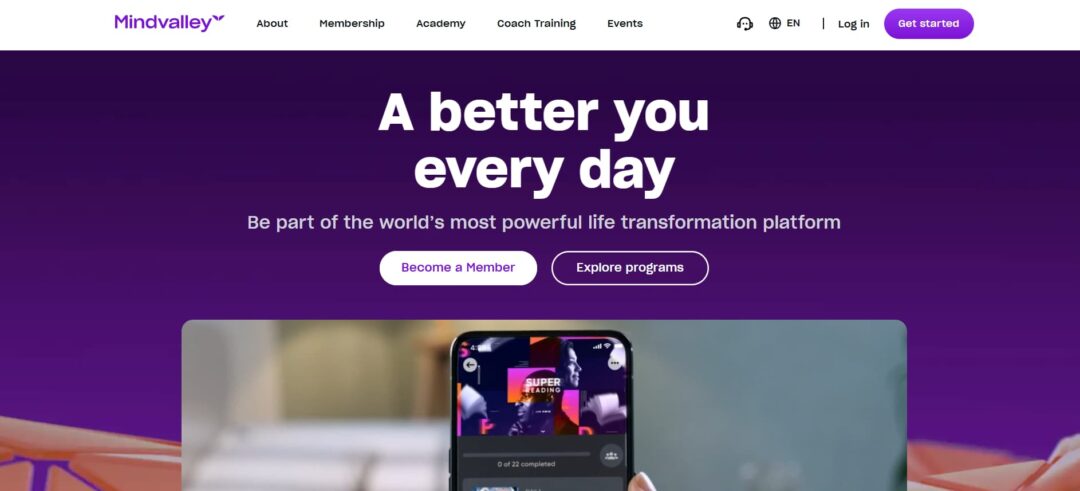
    Mindvalley breaks personal growth topics into daily Quests lasting 15–20 minutes each. Programs focus on areas such as mindfulness, productivity, or fitness, keeping lessons short enough for real-life schedules.

    High-quality video and audio lessons feature well-known instructors. Users access content during commutes, breaks, or downtime. Global community interaction and built-in habit tracking encourage regular participation. Change builds through small, repeated actions.

    Pros

    • Daily Quests: Clear 20-min action plan, no decision fatigue.
    • High-quality content: Engaging cinematic lessons from top experts.
    • Community support: Global peers help with motivation and consistency.
    • All-in-one: Covers wellness, mindset, and relationships in one place.

    Cons

    • Expensive: High annual subscription cost.
    • Too many options: Overwhelming number of Quests to choose from.
    • Fixed daily time: 15-20 min commitment, not very flexible.
    • Soft skills only: No focus on technical or job-specific training.

    3. Masterclass

    MasterClass delivers premium video instruction from prominent figures across writing, cooking, business, sports, and similar domains. Lessons consist of roughly 10-minute modules. Polished production keeps content clear and engaging.

    The platform includes audio playback and offline access. Users complete lessons in short intervals — commuting, exercising, waiting.

    Pros

    • Short videos: 10-min segments, easy to pause.
    • Audio mode: Good for commuting, chores, gym.
    • Offline downloads: Works without internet.
    • High motivation: Quick inspiration from big names.

    Cons

    • More theory than practice: Philosophy over drills.
    • Passive format: No exercises, quizzes, or community.
    • Expensive: High cost for mostly inspirational content.

    4. Studio.com

    Studio.com addresses aspiring creatives with constrained schedules who prefer hands-on learning. Courses are structured as 30-day projects. Daily assignments, limited to 15–30 minutes, advance users toward a completed work — a musical track, short video, or design portfolio.

    Instruction remains concise and task-oriented. The format supports consistent progress despite demanding routines. Users develop skills incrementally while producing tangible results.

    Pros

    • Daily clear tasks: Small objectives build to a full project.
    • Micro-actions: Learn skills via short daily practice.
    • Real output: Finish a portfolio piece in 30 days.
    • Peer feedback: Quick community input for motivation.

    Cons

    • Fixed schedule: Set start dates and daily deadlines.
    • Month-long commitment: Almost daily time needed.
    • Creative only: Limited to music, film, and design skills.
    • Feedback varies: Instructor interaction may be limited.

    5. Imprint

    Imprint breaks non-fiction content into 3–7 minute visual modules. It summarizes core concepts from philosophy, psychology, finance, and leadership books using clean animation and graphics.

    Designed for quick intervals like short breaks or queues. Daily prompts and quizzes encourage steady engagement. The focus is on efficient retention with low time demand.

    Pros

    • Ultra-short lessons: Few minutes, dense visual format.
    • Better retention: Animated graphics aid quick memory.
    • Fast overviews: Core ideas from books/topics in minutes.
    • Daily quizzes: Immediate reinforcement after each lesson.

    Cons

    • Very shallow: Misses nuance and details.
    • Passive only: Insights, no real steps or practice.
    • Limited library: Gaps in niche or specific titles.
    • Paid access: Subscription needed for full content.

    6. Headway

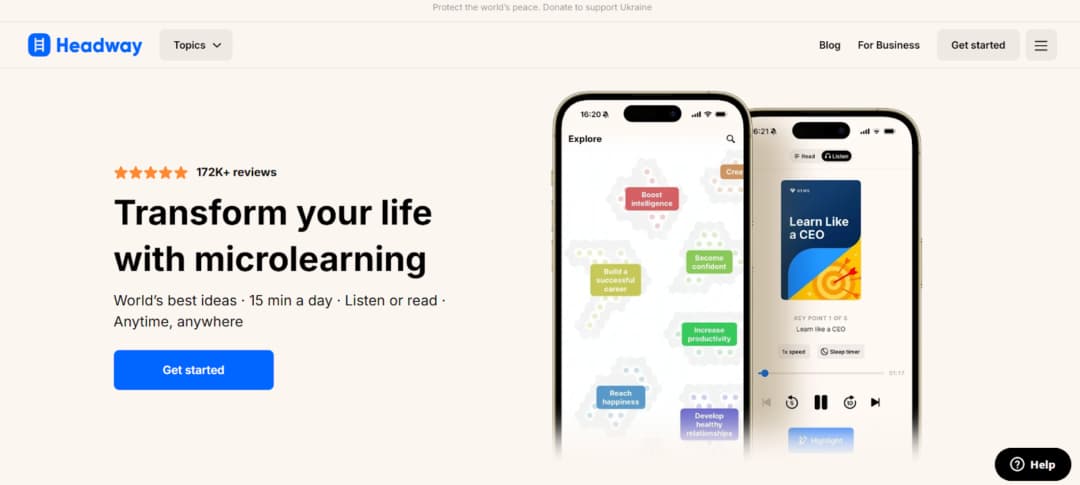
    Headway is designed for people short on time who need the primary insights from top non-fiction books rather than reading them completely. Each summary comes in audio or text form and takes roughly 15 minutes, making it convenient for travel or routine moments.

    Learning streaks and daily prompts build consistency. To help you remember, it uses spaced reminders and lets you bookmark essential insights.

    Pros

    • Multitask-friendly: Audio summaries work during commutes or chores.
    • Predictable timing: Clear 15-min (or similar) lengths.
    • Builds habit: Streaks and daily recommendations.
    • Useful takeaways: Action-focused from self-help/business/psych books.

    Cons

    • Shallow coverage: Just summaries, not book depth.
    • Library limits: Gaps in newer or niche titles.
    • Subscription problems: Reported billing complaints.
    • Minimal interaction: Basic flashcards, little community, or exercises.

    7. Docebo

    Docebo is an LMS designed for organizations seeking to implement formal training through micro-learning. It structures compliance, software, and soft-skills content into brief modules of 5–10 minutes, suitable for completion on mobile devices or during short breaks. 

    AI curates personalized pathways by analyzing performance gaps and supplying appropriate micro-lessons. This approach incorporates skill acquisition directly into the workday, limiting operational disruption and supporting timely fulfillment of training obligations.

    Pros

    • In-tool learning: Delivered via Slack/Teams integrations.
    • Mobile-first: Complete training anywhere, anytime.
    • AI personalization: Cuts irrelevant content.
    • Efficient compliance: Short chunks for required modules.

    Cons

    • Enterprise tool: No personal sign-up.
    • Employer-dependent: Content quality from company L&D.
    • Feels obligatory: Mostly mandatory, low motivation.

    8. Deepstash

    Deepstash trades in standalone ideas. Each card holds a single concept, tip, or quote, consumed in seconds. You pick your topics, curate a feed, and save the valuable insights to personal “stashes.” It’s built for the fastest possible mental download.

    It is intended for users with minimal available time who seek rapid access to inspiration, a useful suggestion, or a fresh perspective in brief moments of downtime.

    Pros

    • Fast read: 30-60 sec per insight.
    • Tailored feed: Focuses on your interests.
    • Save option: Bookmark for later review.
    • Free tier solid: Lots of value without paying.

    Cons

    • Fragmented: No depth or connections between ideas.
    • Awareness only: Doesn’t teach skills or routines.
    • Distraction risk: Can turn into mindless scrolling.

    Conclusion

    Finding large blocks of free time is unrealistic. Micro-learning solves this by using the small intervals you already have—between tasks, during a commute, or over coffee. It focuses on one specific concept or action at a time, making learning efficient and actionable.

    This approach integrates skill development directly into your daily flow. The result is consistent progress that accumulates without overwhelming your schedule, turning sporadic moments into steady growth.

  • Streamlining Your Month-End Close Process

    Streamlining Your Month-End Close Process

    Small teams often find the month-end close exhausting. Long hours go into manual data entry and fixing reports under pressure. You need final numbers to measure performance, stay compliant, and make plans. When the procedure is inefficient, though, it eats up time and drags morale down.

    The close itself isn’t the problem. Most trouble comes from poor organization, hand-keying everything, and different people using different methods. The fix is straightforward: build a clear, repeatable process that cuts time and gives better information.

    A streamlined month-end close has direct benefits. You get financial data faster, so you can make decisions quickly. It reduces errors from manual work, making your financial records more accurate. 

    This efficiency gives you and your team more time to analyze information and plan, rather than just process it. Essentially, it turns a basic accounting task into a practical management tool.

    These are the things that speed up month-end close, drop the stress level, and make your numbers actually usable: key tasks, automation shortcuts, and quick wins. We go over the must-dos first, then piece together a process you can just repeat next month without starting from scratch.

    Essential Month-End Tasks for Small Businesses

    A reliable close requires a consistent and complete process. Completing these basic tasks correctly each month is necessary for accurate financial records.

    1. Reconciling Accounts

    This is the cornerstone of the close. Bank and credit card reconciliations verify that every transaction in your accounting software matches your actual bank statements. It catches errors, uncovers missing transactions, and is your first line of defense against fraud. 

    Don’t stop at the bank; also, reconcile key balance sheet accounts like accounts receivable (does your ledger match unpaid invoices?), accounts payable (does it match outstanding bills?), and payroll liabilities.

    2. Reviewing & Categorizing Income and Expenses

    Ensure all transactions for the month are recorded and assigned to the correct account. Review the profit and loss statement for any anomalies or mis-categorized items. This step guarantees your financial reports accurately reflect your business performance.

    3. Recording Adjusting Entries (Accruals & Prepayments)

    To follow accrual accounting, you must make adjusting entries. Accruals record expenses used and revenue earned in the period, regardless of billing. Prepayments adjust for items paid upfront, like insurance, by expensing only the share that belongs to the current month.

    4. Inventory Count & Valuation (if applicable)

    If you’ve got physical stock sitting around, you really need to do a proper count—or at least make damn sure your perpetual system is actually up to date. Then go fix the inventory asset number and COGS, so they line up with what’s really there.

    5. Fixed Assets & Depreciation

    Record any new capital purchases and post monthly depreciation/amortization expenses for all fixed assets. This systematically reduces their book value on the balance sheet.

    6. Generating & Analyzing Key Reports

    After reconciling and adjusting the books, generate these key reports:

    • Balance Sheet: Shows your financial position (Assets, Liabilities, Equity) at a point in time.
    • Income Statement (P&L): Details revenue and expenses to show profit or loss for the month.
    • Statement of Cash Flows: Tracks the sources and uses of cash, essential for managing liquidity.

    7. Review, Approval, and Finalization

    The owner or a senior manager has to do the final review. They look at the numbers and say it’s good. Then lock the period in the software. That means no more changes to that month. Keeps everything clean for audits and comparing old data later.

    Automating Repetitive Month-End Work

    Automation saves the most time and stops most errors during the month-end close. Put the repetitive tasks in software. That lets your team do better work—actual analysis, checking variances, planning ahead—instead of just data entry. If you plan it out, the close becomes a normal process you run, not this endless data chase.

    Use automated bank feeds that import transactions directly into your ledger (e.g., QuickBooks Online, Xero). Then, set up bank rules to automatically categorize recurring transactions. A monthly software subscription from the same vendor can be learned and coded correctly with zero manual effort.

    Setting Up Automatic Report Generation

    Stop running reports manually. It’s a huge time sink and a perfect candidate for automation. Most accounting platforms have this function built right in. You set it up once and forget it. The system does the work for you.

    First, lock in your templates. Customize and save your essential report formats—Profit & Loss, Balance Sheet, and key reconciliations. Get the date ranges, grouping, and layout exactly how you need them. This guarantees the reports look right every single month, with no last-minute tweaking.

    Then, just schedule it. Pick your date and time. A common trigger is the morning after your preliminary close. The software will execute on that schedule, pulling the period’s data and dropping it into your saved templates automatically.

    Once that’s done, you can configure the system to email the finalized PDFs directly to your stakeholders. The owner, the accountant, the department leads—they all get the same numbers at the same moment. This eliminates the manual request cycle and gets everyone analyzing the data faster. It’s a simple switch that makes the entire closing process feel more controlled.

    Exporting and Consolidating Data Efficiently

    A major time sink is pulling data from different systems into a single place for analysis. Automating this export is a game-changer.

    Instead of manual CSV exports, you can use dedicated, secure tools like QB to Google Sheets. This tool allows you to set up live, automatic syncs of your QuickBooks data (Transactions, P&L, Balance Sheet) directly into a Google Sheet.

    Once data is in Sheets, it acts as a self-updating source of truth. This allows you to build custom dashboards, perform analysis using pivot tables, and create visualizations without any manual exports. The consolidation of your month-end data happens automatically in the background.

    Use a cloud-based accounting system that connects to your other business tools, like your POS, invoicing, and payroll software. This creates a smooth flow of data and removes the need for manual double-entry. For example, when a sale is made in your POS, it will automatically record itself in your accounting ledger.

    Creating a Month-End Checklist

    A good month-end checklist is a practical tool. It creates a repeatable process to make sure every important task gets done. Without it, steps get missed and deadlines are forgotten.

    The checklist does three things. It lists what needs to be done, says who is responsible for each item, and sets clear deadlines.

    How to Build Your Checklist:

    1. Write down every single task. Turn the “Essential Tasks” list into clear steps anyone can follow (like “Reconcile business checking account”, “Go through uncategorized transactions”, “Enter monthly depreciation journal entry”).
    2. Put one person’s name next to each task. Only one owner per item—no shared responsibility.
    3. Give every task a firm deadline. Start from your target close date and work back (Day 3 of the new month, etc.). Slot tasks into specific days: T-3, T-2, T-1, Close Day.
    4. Add simple checks for proof. Include boxes to mark “File attached” or “Reviewer approved”.
    5. Keep it in one shared spot. Use Asana, ClickUp, Trello, or even a Google Doc that everyone can open and edit.

    You need a clear timeline to make your checklist work. This framework spreads the close over several days, from preparation to finalization.

    Start a few days before the month-end. Send reminders for final expense reports and timesheets to ensure all costs are captured. Also, begin reviewing your Accounts Receivable and Accounts Payable to see which invoices and bills are still open. This early look helps spot issues before the formal close.

    On Close Day 1, focus on verification. Reconcile all bank and credit card accounts. Then, book any necessary adjusting entries, like accruals for incurred expenses or adjustments for prepaid items. This locks down your core numbers.

    Close Day 2 is for review. Run a preliminary Profit & Loss statement and Balance Sheet. Scrutinize them for errors, unusual items, or significant variances from the previous month. Correct any issues you find.

    On the Final Day, management conducts a last review and signs off. Once approved, lock the accounting period in your software to prevent changes. Finally, distribute the official financial reports to all stakeholders.

    Tips for a Faster Month-End Close

    A faster, lower-stress month-end close depends on consistent habits and an efficient workflow. Spreading tasks out, using clear systems, and managing the process early reduces time and improves accuracy.

    Distribute the Workload Weekly

    Do not delay reconciliation into one large session. Reconcile bank and credit card accounts weekly to break the work into short 15–20 minute reviews. This makes errors easier to spot and simplifies the month-end close.

    Systematize with a Close Playbook

    Relying on memory is unreliable. Create a written “Close Playbook.”

    • Document reconciliations: Step-by-step instructions for each account.
    • Standardize entries: List exact accounts for recurring items like depreciation.
    • Organize files: Specify where and how to save supporting documents.

    This playbook keeps the process consistent, simplifies training, and supports continuity when someone is absent.

    Enforce Internal Deadlines

    Your finance team needs all data to close the books. Set and enforce company-wide deadlines for submitting invoices, expenses, and sales reports. This stops the last-minute chase for information and lets accounting work without interruption.

    Conduct a Mid-Month Review

    Find problems early. Around the 15th, run a quick profit and loss report. Check key accounts for anything unusual. This catches errors, like a misapplied payment or wrong expense category, with time to fix them before month-end.

    Consult Your Accountant on Workflow

    Your accountant sees the results of your closing process. Ask them to look at the process itself, not just the final reports. They can spot repeated problems, suggest software tools you are not using fully, or recommend apps that can replace manual work. Their outside view can find fixes you might miss.

    Refine the Process Each Month

    After the close, hold a brief team meeting to review what worked and what caused delays. Document the findings and update the closing checklist. Repeating this each month improves speed and reliability over time.

    Conclusion

    Fixing your month-end close is one of the fastest ways to stop wasting time in the business. Forget staying late — focus on doing it smarter. Get basic routines in place, automate the repetitive tasks, and make sure the same steps happen every single month.

    First, organize required tasks so they are completed correctly and without unnecessary issues. Next, identify any steps still done manually and replace them with automated processes, such as scheduled data syncing or automated report generation. Maintain a short checklist to ensure no steps are missed. Periodically review the process and remove steps that continue to slow things down.

    You’ll get clean numbers quicker, decisions stop being stressful, the team doesn’t burn out, and people actually trust the reports. Start with almost nothing — write a checklist this week or automate one feed next week. Each thing you fix shortens the whole process and makes it useful instead of just something you survive.

  • Best Visual Studio SQL Formatter Plugins

    Best Visual Studio SQL Formatter Plugins

    Maintaining standardized SQL formatting in Visual Studio is essential for team productivity and code sustainability. The IDE’s native SQL support, however, offers only basic formatting options, resulting in variable styles across files, extended code review times, and added complexity during debugging.

    Dedicated extensions overcome this constraint by integrating reliable, automated formatting—ensuring consistent indentation, casing, and layout directly in the development environment.

    1. SQL Complete

    SQL Complete by Devart is a full-featured SQL development tool for users of Visual Studio and SSMS, going well beyond standard formatting. 

    Installed as an extension, it adds intelligent code completion, immediate syntax validation, refactoring support, on-the-fly analysis, and customizable formatting rules that enforce team-specific standards directly in the editor.

    Key Formatting & Automation Features:

    • Switchable profiles (Default, Collapsed, Extended, etc.) with custom/shareable team configurations.
    • Auto-syncs identifier case to the database; customizable dictionary for proper CamelCase recognition.
    • Auto-formatting on type/paste/command; bulk processing of files/folders with Formatter Wizard.
    • Protect code blocks using –noformat and –endnoformat tags.
    • Standalone CLI for pre-commit hooks, CI/CD pipelines, and enforced formatting standards.

    Beyond formatting, this Visual Studio SQL formatter speeds up SQL development with context-aware completion, automatic JOIN generation, instant object information, and built-in snippets. It adds code safety and navigation through invalid object detection and SSMS tab coloring.

    The tool earns consistent high ratings and industry awards for reliability. Widely used by SQL Server teams in large organizations, it integrates as an add-in for Visual Studio and SSMS, providing automation, standardization, and intelligence beyond native features.

    2. Redgate SQL Prompt

    Redgate SQL Prompt from Redgate Software is an add-in for SQL Server Management Studio and Microsoft Visual Studio that combines SQL formatting with intelligent, day-to-day coding assistance. In practice, it sits inside the editor and continuously supports writing, fixing, restructuring, and standardizing SQL without breaking the workflow.

    Key Formatting & Automation Features:

    • Instant formatting with keyboard shortcut or bulk reformat using shareable profiles.
    • Predefined styles (Default, Collapsed, Indented, etc.) plus full control over indentation, alignment, casing, and layout.
    • Context-aware IntelliSense for object/clause suggestions and snippet expansion.
    • Real-time analysis detects issues; refactoring tools rename objects and restructure queries safely.
    • Built-in AI assistance generates, edits, or explains SQL from natural-language prompts in SSMS.

    In addition to formatting, SQL Prompt includes searchable query history, context-based tab coloring in SSMS, and auto-correction of frequent issues. It works across on-premises and cloud SQL Server environments, including Azure SQL, Amazon RDS, and Google Cloud SQL.

    Within Visual Studio, it combines formatting, code analysis, refactoring, snippets, history, and AI support into a unified experience. This enables uninterrupted SQL development with automatic standardization, proactive error prevention, and improved efficiency.

    3. SQLinForm SQL Formatter 

    SQLinForm by Gu is a dedicated SQL formatter. It converts raw SQL into clean, consistent, and readable code. The tool works across multiple editors and environments.

    It is available as extensions for Microsoft Visual Studio, SQL Server Management Studio, VS Code, Notepad++, JetBrains IDEs, DBeaver, and also as a Windows desktop application and free online formatter. This makes it easy to keep the same formatting behavior regardless of where SQL is written.

    Key Formatting & Automation Features:

    • Multi-IDE compatibility: extensions for VS, SSMS, VS Code, Notepad++, desktop app, and web-based tool.
    • Custom profiles with 150+ controls over indentation, alignment, casing, spacing, and clause breaks.
    • Parses and formats partial or invalid SQL, helping identify issues.
    • Wide database support: SQL Server, Oracle, PostgreSQL, MySQL, Snowflake, BigQuery, and more.
    • Processes embedded SQL within C#, Java, Python, and PHP application code.

    SQLinForm supports standardized formatting via profiles. The Pro version provides comprehensive controls with live previews for precise, team-wide style enforcement.

    Free and Pro editions place no limits on SQL size or usage. A single Pro license permits use on several devices.

    As a specialized beautifier, it ensures high readability, structural consistency, and adherence to standards. For organizations requiring uniform, well-organized SQL independent of IDE or writer, it offers an effective solution.

    4. Poor Man’s T-SQL Formatter

    Poor Man’s T-SQL Formatter, created by Tao Klerks, is a long-standing open-source project focused on one goal: instantly turning messy T-SQL into readable, structured code without cost, licensing barriers, or setup friction. 

    It can be used directly online at poorsql.com, works offline in the browser, and is also available as plugins for SQL Server Management Studio and Microsoft Visual Studio, a command-line bulk formatter, and even a WinMerge plugin for formatting during file comparisons.

    Key Formatting & Automation Features:

    • Lightweight VS Code integration — format-on-save and native commands.
    • Broad dialect coverage: T-SQL, PostgreSQL, MySQL, Snowflake, BigQuery, Spark, others.
    • Fully configurable: keyword case, operator line breaks, comma position, line width, alias alignment, indentation.
    • Focused on speed — reliable, fast beautification without unnecessary features.

    PoorSQL features live preview and tolerance for imperfect input. Enter code, modify options instantly, reformat while keeping comments, and apply quick casing rules.

    Its lightweight design enables command-line batch processing, automated hooks, and standardized presentation before merges.

    Limited to formatting, it delivers accurate, customizable results anywhere needed. For teams wanting a free, programmable method to maintain SQL consistency across environments, PoorSQL offers a straightforward solution.

    5. Prettier SQL / SQL Formatter (VS Code)

    Prettier SQL VSCode is a free extension for Visual Studio Code that brings SQL formatting capabilities directly into the editor using the popular sql-formatter library. With millions of installs, the extension focuses solely on turning plain SQL text into clean, well-structured queries that are easier to read and maintain.

    Key Formatting & Automation Features:

    • Native VS Code extension with format-on-save and standard format commands.
    • Supports wide range of dialects: T-SQL, PostgreSQL, MySQL, Snowflake, BigQuery, Spark, and more.
    • Customizable rules for keyword casing, line breaks, commas, line length, alias alignment, and indentation.
    • Fast, lightweight formatting — quick cleanup via shortcut or on save, no extra IDE overhead.

    Once installed, Prettier SQL VSCode formats .sql files using configurable rules for consistent spacing, indentation, and keyword placement—without external tools.

    Unlike larger add-ins, it focuses solely on formatting and integrates with VS Code’s format-on-save and commands for instant organization, supporting uniform style and maintenance.

    It provides reliable, low-overhead SQL standardization directly in the editor.

    6. SQL Formatter by Mads Kristensen

    SQL Formatter by Mads Kristensen is a free, lightweight extension for Microsoft Visual Studio that adds native SQL formatting support into the IDE. Unlike larger coding assistants, this extension focuses on the core task of transforming T-SQL code into a clean, consistent, and readable layout directly within the editor.

    Key Formatting & Automation Features:

    • Native Visual Studio integration — uses built-in Format Document (Ctrl+K, Ctrl+D).
    • .editorconfig support for shared, version-controlled team formatting rules.
    • Powered by Microsoft’s SqlScriptDOM parser for accurate T-SQL handling.
    • Tooltips on hover show keyword documentation and current formatting examples.
    • Formats SQL embedded in C# / .NET strings, not just standalone .sql files.

    The extension works with Visual Studio’s built-in Format Document command and shortcuts to apply uniform indentation, keyword casing, alignment, and logical structure to SQL. 

    Standards are defined once in configuration files alongside the codebase for consistent application across the team.

    Being free and purpose-built, it offers simple, reliable formatting for both standalone SQL and embedded strings, reducing manual effort and improving code maintainability in Visual Studio.

    Conclusion

    Embedding a SQL formatter in Visual Studio applies uniform standards at the point of code creation.

    A suitable extension eliminates manual cleanup, minimizes stylistic disagreements, and makes scripts clearer immediately. Available tools—ranging from comprehensive assistants to dedicated formatters—incorporate consistency into the workflow, supporting higher-quality and more team-friendly code.

  • How to Choose the Right AI Tool for Restoring Old Photos

    How to Choose the Right AI Tool for Restoring Old Photos

    Old photographs deteriorate in specific ways. Scratches, fading, and lost detail are distinct technical problems. Different AI tools are built to address these different problems. No single service corrects every type of damage. This selection is a functional guide matching defect types to algorithmic solutions. It is not a ranking of overall quality. 

    The correct tool depends entirely on the primary damage found in your specific image. Choosing based on this principle yields more predictable, technically sound results.

    1. Renew Photo

    Renew Photo operates an automated, multi-step restoration pipeline. It is designed to process photos with several simultaneous defects in a single workflow. The tool sequentially addresses issues like scratches, color loss, and low detail. This makes it suitable for complex cases where damage types overlap and interact. The process requires minimal user input from start to finish.

    Best Use Scenarios

    This service is for compound deterioration. It handles photos where multiple flaws like heavy fading, deep scratches, and lost detail coexist. These cases overwhelm simpler, single-function tools. The integrated pipeline coordinates corrections that might conflict if applied separately. Renew Photo works best in situations such as:

    • Photos with multiple overlapping defects;
    • Images with severe fading and contrast loss;
    • Old portraits needing detail reconstruction;
    • Black-and-white photos that require colorization.

    It is an automated system. You exchange granular manual control for a complete, hands-off restoration cycle.

    2. RetroFix

    RetroFix is a mobile application built for speed and convenience. It quickly improves image clarity and handles minor, superficial imperfections. The tool uses streamlined algorithms optimized for smartphone processing. This design prioritizes immediate results and ease of use over deep, archival restoration work.

    Best Use Scenarios

    This app fits common, minor photo issues from personal archives. It is for when you need a clearer version fast, not a perfect, historically accurate reconstruction. RetroFix is most effective for cases like:

    • Slightly blurred portraits;
    • Minor scratches and dust spots;
    • Faded prints needing sharpness improvement;
    • Quick mobile restoration without editing skills.

    Its utility drops off sharply with severe physical damage like large tears or major staining. It just isn’t built for that.

    3. Fotor AI

    Fotor AI Photo Restoration is a browser-based utility for standard photo correction. It provides essential AI-driven cleanup and enhancement through a web interface. The service performs generalized improvements to color, contrast, and clarity. This approach offers accessibility for users needing a straightforward online fix without software downloads.

    Best Use Scenarios

    This tool addresses predictable, moderate deterioration. It works on photos with common aging effects where a broad, overall correction is sufficient. Fotor performs well in situations such as:

    • Restoring moderately faded photos;
    • Improving contrast and color balance;
    • Enhancing clarity in scanned prints;
    • Quick browser-based correction without advanced controls.

    Precision control over specific damage areas is limited. The tool applies a uniform correction model to the entire image.

    4. Neural.love

    Neural.love Photo Restoration focuses on digital enhancement and noise reduction. It aims to improve perceived image quality by reconstructing detail and reducing visual artifacts. The service often incorporates colorization. Its strength lies in refining the digital signal, not repairing physical photograph damage.

    Best Use Scenarios

    Use this tool for digital degradation issues in scanned images. It targets problems introduced or worsened by the digitization process itself. Neural.love works best in scenarios such as:

    • Enhancing low-resolution scanned photos;
    • Reducing visible noise and compression artifacts;
    • Improving the overall sharpness of aged prints;
    • Colorizing black-and-white images.

    It is more of an enhancement engine than a physical restoration service. Don’t expect it to convincingly mend a torn corner.

    5. Imgupscaler

    Imgupscaler Old Photo Restoration is a simple online tool for resolution enhancement and basic cleanup. It increases image pixel dimensions while applying light corrective filters. The process happens in a browser without registration. It is a one-step solution for improving the fundamental legibility of a low-quality scan.

    Best Use Scenarios

    This service is for technically poor source files. It is a practical first attempt when the main issue is a small, blurry, or pixelated digital file. Imgupscaler is most suitable for situations like:

    • Enhancing low-resolution images;
    • Improving the sharpness of blurred scans;
    • Light restoration of faded photos;
    • Quick online fixes without software installation.

    The tool is not designed to handle serious physical defects such as scratches or tears.

    6. Nero AI

    Nero AI Photo Restoration is an automated service for general photo cleaning and color adjustment. It applies a set of corrections to remove minor flaws and improve tonal balance. The process requires one click. It is built for casual users seeking an instant, acceptable improvement with zero technical effort.

    Best Use Scenarios

    This tool fits the need for a fast, automatic polish on photos with light, common aging signs. It standardizes a simple correction path. Nero AI is effective in situations such as:

    • Removing light scratches and dust;
    • Improving color balance in aged photos;
    • Enhancing overall clarity;
    • Fast automatic correction for casual users.

    The system offers limited parameter control. You accept its standardized output or seek another tool.

    How to Match a Tool to Your Photo’s Damage

    Tool selection is a diagnostic exercise. You must first identify the dominant form of damage in your photograph. A tool specialized for color fading will fail on a photo shredded by deep scratches. The algorithm’s design dictates its suitable applications. Misalignment here is the primary cause of disappointing results. When selecting an AI restoration tool, focus on the dominant type of damage:

    • Severe structural damage requires multi-step restoration tools.
    • Light blur and dust can be handled by mobile or browser tools.
    • Facial detail loss calls for portrait-focused enhancers.
    • Color fading benefits from dedicated colorization features.

    Using a general-purpose cleaner like Nero AI on a complex, multi-damage photo will yield a weak, incomplete fix. The tool lacks procedural depth. Conversely, using a heavy pipeline like Renew Photo on a simple, slightly blurry portrait is overkill and may unnecessarily alter original textures. Match the problem’s complexity to the tool’s specialized function.

    Final Practical Takeaway

    Each tool serves a defined purpose. Renew Photo for complex, layered damage. RetroFix for mobile convenience on minor issues. Fotor and Nero AI for standardized online corrections. Neural.love and Imgupscaler for digital file enhancement. Their functions are complementary, not competitive.

    The final output quality is irrevocably tied to the input scan quality. A high-resolution, well-lit scan provides the algorithm with sufficient data to work. A poor scan guarantees a limited result, regardless of the tool’s sophistication.

    Select based on a clear assessment of your photograph’s primary deterioration. Consider the required level of control and the desired outcome. This methodical, damage-first approach removes guesswork and leads to more technically reliable restoration attempts.

  • Why White Label Link Services Only Work When You Own the Process

    Why White Label Link Services Only Work When You Own the Process

    White label link-building services can seem like a godsend when your agency has so many tasks to handle. The concept is simple: someone else does all the work for you, and you get the results. Sounds like a win-win, right?

    But here’s the catch — white label link building only works when you control it. If you just hand it over to someone else without keeping a close eye on how it’s going, things can go awry very quickly. From irrelevant backlinks to weak content, there are many ways things can go wrong. 

    In this article, we’ll dig into what makes white label link building appealing, where exactly it can go wrong, and — most importantly — how to own the process so your clients get quality results every time. 

    The Appeal of White Label Link Building

    Let’s be honest, scaling SEO isn’t an easy task. One month you might have five client campaigns, and the next, twice as many. How do you handle it? You can hire in-house specialists, but it will take time and money. Plus, you’ll have to invest even more in training. That’s where white label link building services step in. 

    Scale Without the Overhead

    When demand grows, a white label link building solution offers a ready-made way to scale. You can take on as many clients as you want without needing to expand your internal team or build out infrastructure. It’s like adding more horsepower to your engine without rebuilding the car.

    A good white label link building company already has a network of partners and webmasters who they’ve been working for, allowing them to do manual outreach quickly and efficiently. That means you can work with more businesses and deliver consistent results without breaking a sweat. 

    Faster Delivery for Your Clients

    Deadlines are often the key factor ruining relationships with clients. Nobody wants to wait, and if you can’t deliver good links quickly enough, they may want to look into hiring another agency. With white label providers, you’re not going to hit this wall. Since a white label link service agency’s only job is to get links, your delivery speed is always going to be on top. 

    Clients get what they want — fast, and you get to look like a rockstar. 

    Where Things Go Wrong Without Oversight

    The flip side of handing off work is losing sight of what’s being delivered. And that’s where many agencies get burned.

    Mismatched Links and Niches

    One of the biggest risks in using white label link building services is link irrelevance. Maybe your client is in cybersecurity, but the provider lands a backlink on a DIY lifestyle blog. Sure, it’s a link — but it’s not the right one.

    Search engines see it. And so do clients, especially if they’re savvy. Irrelevant or low-authority links can damage your reputation and undo months of SEO work.

    Poor Communication and Reporting Gaps

    Without clear oversight, communication tends to fall through the cracks. Maybe your provider doesn’t tell you which sites they’re targeting. Or worse — they send you a monthly spreadsheet without any explanation, just a list of URLs.

    That leaves you in a tricky situation when your client starts asking questions. If you don’t know what was done, when, or why, you look unprofessional, even though you weren’t the one doing the actual work.

    What “Owning the Process” Actually Means

    White label doesn’t mean hands-off. The best agencies treat their white label link building company like an extension of their team, not a third-party vendor. If you want this model to work, you need to own the process from start to finish.

    Here’s how.

    Pre-Approving Links Before Placement

    Don’t let your provider decide where your links go without checking in first. Create a list of approved niches, domains, or even specific sites. Ask to see the link opportunities ahead of time.

    This way, you make sure every backlink fits your client’s brand, audience, and goals, and protect yourself from any awkward surprises.

    Reviewing Content Quality

    A killer backlink means nothing if the content surrounding it is fluff. Or worse — embedded in a bad copy full of typos, misspellings, and AI-sounding nonsense.

    Ask to review the content before it goes live. If that’s not possible, at least set clear content standards. Good white label link building solutions will be happy to comply if they are interested in long-term partnerships.

    Setting Expectations with Your Provider

    Let your provider know exactly what you expect — whether it’s DR minimums, traffic thresholds, link types (guest post, niche edits, etc.), or turnaround times.

    Clear guidelines from day one avoid back-and-forths and late-night headaches. Don’t assume they know your standards. Spell them out.

    Building a Workflow That Works

    Once you’ve decided to own the process, the next step is setting up a workflow that’s both tight and flexible.

    Start by building a shared tracking system — a Google Sheet, a project board, whatever works for you. This should include:

    • Sites being pitched;
    • Content topics;
    • DR/DA and traffic data;
    • Status of each link;
    • Client-specific notes.

    Assign someone on your team to act as the point of contact. They should check in weekly (or even daily, depending on volume) with your provider, review progress, and notify you right away if anything goes wrong. 

    Also, be proactive with client updates. Instead of waiting for them to ask what’s happening, send brief but consistent reports. Focus on value: which links were built, how they support ranking goals, and what’s next.

    This level of visibility keeps everyone in the loop and shows clients you’re taking care of them and doing your job like a pro.

    Final Words

    White label link building services can absolutely work — they just don’t work by themselves.

    Treating a provider like a “set it and forget it” machine is a fast track to bad links, unhappy clients, and even Google penalties. But when you own the process, review link targets, ensure content quality, and stay in close touch with your provider, white label becomes a powerful way to scale.

    It’s not about doing everything yourself. It’s about leading the charge. Whether you’re using a white label link building solution to boost volume or fill in skill gaps, success depends on your involvement.

    So if you’re thinking of partnering with a white label link building company, ask yourself this: are you ready to guide the process? Because when you do, that’s when the magic happens.

  • The Most Popular Libraries for FHIR Integration in Healthcare Systems

    The Most Popular Libraries for FHIR Integration in Healthcare Systems

    In today’s fast-evolving healthcare landscape, interoperability has become critical for improving patient outcomes, ensuring data fluidity, and fostering collaboration across healthcare systems. FHIR (Fast Healthcare Interoperability Resources) has emerged as a standard for exchanging healthcare information electronically. It provides a uniform framework for data interoperability that allows healthcare systems to communicate effectively, minimizing errors and delays.

    To ensure seamless FHIR integration in healthcare systems, developers rely on several popular libraries. These libraries offer the tools and APIs necessary to interact with FHIR resources, validate FHIR profiles, and create applications that can communicate with Electronic Health Records (EHR) and other healthcare data systems.

    This article will explore the most popular libraries used for FHIR integration in healthcare, such as the Kodjin, focusing on their features, benefits, and use cases. If you’re looking for the right tools to develop a FHIR-compliant healthcare system, this guide will provide valuable insights.

    Table of Contents

    1. What is FHIR, and Why is it Essential?
    2. Key Benefits of FHIR Libraries in Healthcare Systems
    3. Top Libraries for FHIR Integration
      • HAPI FHIR
      • Firely .NET SDK
      • Java FHIR Client by IBM
      • SMART on FHIR
      • Google FHIR Protocol Buffers
      • Kodjin FHIR Server SDK
      • Cerner FHIR Tools
      • Mirth Connect
      • Redox Engine
      • Simplifier.NET
    4. Factors to Consider When Choosing a FHIR Library
    5. Conclusion
    6. FAQs

    1. What is FHIR, and Why is it Essential?

    FHIR (Fast Healthcare Interoperability Resources) is an open standard developed by HL7 designed to enable the exchange of healthcare information through web-based technologies. FHIR simplifies healthcare data sharing by utilizing a modular format known as “resources,” which represent discrete pieces of healthcare information like patients, medications, diagnostics, and observations.

    FHIR’s primary goal is to make it easier for healthcare systems to exchange and understand data, ensuring smoother interoperability. Given the growing demand for integrated and real-time healthcare information, FHIR has become essential for healthcare providers, EHR vendors, and healthcare application developers.

    2. Key Benefits of FHIR Libraries in Healthcare Systems

    Integrating FHIR into a healthcare system can provide multiple benefits:

    • Interoperability: Ensures seamless communication between disparate healthcare systems, regardless of the vendor.
    • Scalability: Supports complex systems with large amounts of data and multiple endpoints.
    • Standardization: Provides a consistent format for exchanging healthcare data.
    • Flexibility: With a modular design, FHIR resources can be combined to suit a variety of needs.
    • Compliance: Helps healthcare organizations comply with regulations such as HIPAA, ensuring data privacy and security.

    Given these advantages, it’s no wonder that FHIR has become a standard for healthcare interoperability worldwide. To implement FHIR into their systems, healthcare developers rely on libraries that simplify the integration and development processes.

    3. Top Libraries for FHIR Integration

    Several libraries have emerged to help developers efficiently integrate FHIR into healthcare systems. Here are the top 10 most popular libraries for FHIR integration in 2024:

    1. HAPI FHIR

    One of the most widely used libraries for FHIR integration, HAPI FHIR is an open-source Java-based implementation of the FHIR standard. HAPI FHIR provides a comprehensive solution for handling FHIR resources and supports all versions of FHIR, including R2, R3, and R4.

    Key Features:

    • RESTful client and server support.
    • Extensive community documentation and support.
    • Tools for validation, profiling, and resource creation.
    • Ideal For: Java developers, startups, and large-scale enterprise healthcare solutions.

    Use Case:

    HAPI FHIR is often used by healthcare application developers who need a reliable, open-source solution to create, validate, and manipulate FHIR resources in Java environments.

    2. Firely .NET SDK

    Firely, the company behind the .NET SDK, is a significant contributor to the FHIR standard. This SDK is widely used by developers working in Microsoft’s .NET ecosystem. The library simplifies FHIR integration in .NET applications by offering tools for resource creation, validation, and FHIR server development.

    Key Features:

    • Support for all FHIR versions.
    • Built-in validation tools.
    • Simplified profile creation and resource validation.
    • Ideal For: Microsoft developers working on .NET-based healthcare solutions.

    Use Case:

    Firely .NET SDK is ideal for healthcare systems already built on .NET architecture. It allows developers to easily integrate FHIR resources and maintain interoperability with other systems.

    3. Java FHIR Client by IBM

    IBM provides a Java FHIR client that supports robust FHIR interactions for Java-based healthcare applications. The library allows developers to create, read, update, and delete FHIR resources while ensuring data security.

    Key Features:

    • Full FHIR resource support.
    • Integrated with IBM’s Watson Health.
    • Security features like OAuth and SSL encryption.
    • Ideal For: Enterprises looking to build secure and scalable FHIR-based healthcare applications.

    Use Case:

    IBM’s FHIR client is commonly used in large healthcare organizations that need highly scalable and secure data exchange systems.

    4. SMART on FHIR

    SMART on FHIR is a widely-used library that simplifies the development of healthcare applications that can connect to EHR systems. Built on top of FHIR, it provides security features like OAuth2 for authentication and enables the use of third-party apps in FHIR-based environments.

    Key Features:

    • OAuth2-based authentication.
    • Ready-to-use APIs for healthcare apps.
    • Integration with major EHR vendors.
    • Ideal For: Developers building healthcare apps that integrate with existing EHR systems.

    Use Case:

    SMART on FHIR is best suited for app developers who want to create third-party healthcare applications that can connect with existing FHIR-enabled EHR systems, such as Epic or Cerner.

    5. Google FHIR Protocol Buffers

    Google’s FHIR Protocol Buffers offer an innovative approach to FHIR data storage and transmission. Protocol Buffers, also known as protobufs, are a language-neutral, platform-neutral, extensible way of serializing structured data.

    Key Features:

    • Lightweight data interchange format.
    • Fast and efficient data processing.
    • Extensible for various use cases.
    • Ideal For: Organizations looking to optimize FHIR data storage and transmission.

    Use Case:

    Google FHIR Protocol Buffers are used by healthcare organizations that need efficient and scalable ways to manage and store FHIR data across different systems.

    6. Kodjin FHIR Server SDK

    Kodjin FHIR Server SDK provides an easy-to-use development environment for implementing FHIR-based solutions. The Kodjin FHIR Server offers high scalability, robust security features, and advanced customization, making it an excellent choice for healthcare organizations of all sizes.

    Key Features:

    • Scalable to accommodate growing data needs.
    • Highly customizable FHIR profiles.
    • Enhanced security features such as encryption and audit logging.
    • Ideal For: Organizations looking for a flexible and secure FHIR server with easy integration options.

    Use Case:

    Kodjin FHIR Server SDK is perfect for healthcare systems that require a custom FHIR server setup that can scale with the organization’s growth and evolving data management needs.

    7. Cerner FHIR Tools

    As one of the biggest EHR vendors globally, Cerner offers a suite of FHIR tools designed to integrate seamlessly with their EHR platform. This library supports FHIR integration and provides a set of APIs that allow developers to create applications leveraging FHIR data.

    Key Features:

    • Support for real-time patient data exchange.
    • Integration with Cerner’s population health and analytics tools.
    • Comprehensive API documentation.
    • Ideal For: Organizations using Cerner EHR systems.

    Use Case:

    Healthcare providers using Cerner EHR can leverage Cerner’s FHIR tools to enable interoperability with third-party apps and streamline patient data exchange.

    8. Mirth Connect

    Mirth Connect is a versatile healthcare data integration engine that supports FHIR, HL7, and other healthcare data standards. It provides a seamless interface to connect various healthcare systems and data sources.

    Key Features:

    • Support for multiple data standards.
    • Data transformation and mapping tools.
    • Scalable to fit large healthcare systems.
    • Ideal For: Healthcare providers needing complex integration capabilities.

    Use Case:

    Mirth Connect is widely used by healthcare organizations that need to integrate multiple data systems and ensure smooth communication between them.

    9. Redox Engine

    Redox is a popular healthcare integration platform that simplifies FHIR integration across various systems. It provides an easy-to-use API and a scalable infrastructure that allows healthcare providers to connect their applications with existing EHRs and healthcare data systems.

    Key Features:

    • Scalable infrastructure for data exchange.
    • Real-time integration with EHR systems.
    • API-first approach for easier development.
    • Ideal For: Healthcare organizations looking for rapid FHIR integration and scalability.

    Use Case:

    Redox Engine is commonly used by healthcare application developers who want a simple, scalable solution for integrating with multiple EHRs and ensuring real-time data exchange.

    10. Simplifier.NET

    Simplifier.NET is an online FHIR development environment that allows developers to create, validate, and share FHIR resources easily. It’s a popular tool for collaborative FHIR projects and provides essential tools for profile management, validation, and resource development.

    Key Features:

    • Online environment for FHIR resource creation.
    • FHIR profile validation.
    • Real-time collaboration tools for teams.
    • Ideal For: Teams working on collaborative FHIR projects.

    Use Case:

    Simplifier.NET is used by healthcare developers and teams working on FHIR projects where collaboration and easy resource sharing are critical.

    4. Factors to Consider When Choosing a FHIR Library

    When choosing a FHIR library for integration in healthcare systems, consider the following factors:

    • Compatibility: Ensure that the library supports the FHIR version you need.
    • Security: Look for libraries with built-in security features like encryption and authentication.
    • Ease of Use: Choose libraries with comprehensive documentation and community support.
    • Customization: Determine whether the library allows customization for your specific needs.
    • Scalability: Consider if the library can handle the growing data needs of your organization.

    5. Conclusion

    Choosing the right library for FHIR integration is critical to ensuring seamless healthcare data interoperability. The libraries mentioned in this article, from HAPI FHIR to Kodjin FHIR Server SDK, provide a range of options for developers and healthcare organizations, depending on their unique needs.

    Whether you’re building a small healthcare app or integrating complex EHR systems, these tools offer the features and scalability needed to create a FHIR-compliant environment. With FHIR becoming the global standard for healthcare data exchange, staying updated on the best libraries and tools will give your organization a significant advantage in providing quality patient care.

    FAQs

    1. Which is the best open-source library for FHIR integration?
      • HAPI FHIR is one of the best open-source libraries, offering comprehensive support for Java-based FHIR implementations.
    2. Can the Kodjin FHIR Server SDK handle large-scale healthcare data?
      • Yes, the Kodjin FHIR Server SDK is designed to handle large volumes of data and scale with the organization’s needs.
    3. Is Firely .NET SDK suitable for enterprise healthcare applications?
      • Yes, the Firely .NET SDK is well-suited for enterprise-level applications, especially those built on the Microsoft .NET ecosystem.
    4. Which FHIR library is best for real-time patient data exchange?
      • Redox Engine and Cerner FHIR Tools are both excellent for real-time patient data exchange, depending on your EHR setup.
    5. What factors should I consider when selecting a FHIR library?
      • Key factors include compatibility with your tech stack, security features, ease of use, customization options, and scalability.

    References

    1. Health Level Seven International (HL7). “FHIR Overview and Implementation.” Available at: https://www.hl7.org/fhir/overview.html
    2. Google Cloud Healthcare API. “Integrating FHIR for Scalable Healthcare Data Solutions.” Available at: https://cloud.google.com/healthcare
    3. IBM Developer. “FHIR Server Implementation on IBM Cloud.” Available at: https://developer.ibm.com/technologies/healthcare/
    4. Microsoft Azure. “Azure API for FHIR: Managed Health Data Platform.” Available at: https://azure.microsoft.com/en-us/services/healthcare-apis/
    5. SMART Health IT. “SMART on FHIR: An Interoperability Framework.” Available at: https://smarthealthit.org/
    6. Cerner Corporation. “Cerner’s Integration with FHIR Standards.” Available at: https://www.cerner.com/solutions/interoperability
    7. Epic Systems Corporation. “FHIR Integration for Electronic Health Records.” Available at: https://www.epic.com/
    8. Mayo Clinic Platform. “Mayo Clinic’s Use of FHIR for Interoperable Healthcare Solutions.” Available at: https://www.mayoclinic.org/