
Maintaining standardized SQL formatting in Visual Studio is essential for team productivity and code sustainability. The IDE’s native SQL support, however, offers only basic formatting options, resulting in variable styles across files, extended code review times, and added complexity during debugging.
Dedicated extensions overcome this constraint by integrating reliable, automated formatting—ensuring consistent indentation, casing, and layout directly in the development environment.
1. SQL Complete

SQL Complete by Devart is a full-featured SQL development tool for users of Visual Studio and SSMS, going well beyond standard formatting.
Installed as an extension, it adds intelligent code completion, immediate syntax validation, refactoring support, on-the-fly analysis, and customizable formatting rules that enforce team-specific standards directly in the editor.
Key Formatting & Automation Features:
- Switchable profiles (Default, Collapsed, Extended, etc.) with custom/shareable team configurations.
- Auto-syncs identifier case to the database; customizable dictionary for proper CamelCase recognition.
- Auto-formatting on type/paste/command; bulk processing of files/folders with Formatter Wizard.
- Protect code blocks using –noformat and –endnoformat tags.
- Standalone CLI for pre-commit hooks, CI/CD pipelines, and enforced formatting standards.
Beyond formatting, this Visual Studio SQL formatter speeds up SQL development with context-aware completion, automatic JOIN generation, instant object information, and built-in snippets. It adds code safety and navigation through invalid object detection and SSMS tab coloring.
The tool earns consistent high ratings and industry awards for reliability. Widely used by SQL Server teams in large organizations, it integrates as an add-in for Visual Studio and SSMS, providing automation, standardization, and intelligence beyond native features.
2. Redgate SQL Prompt
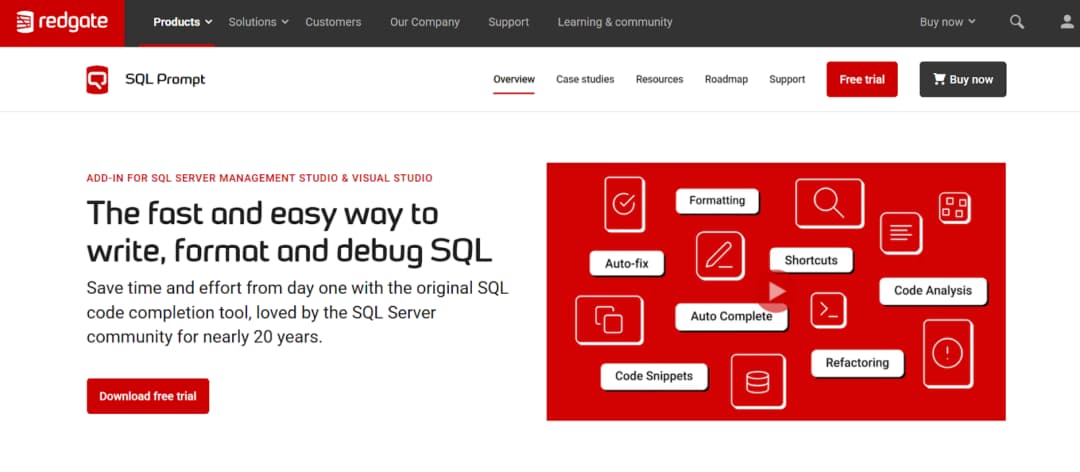
Redgate SQL Prompt from Redgate Software is an add-in for SQL Server Management Studio and Microsoft Visual Studio that combines SQL formatting with intelligent, day-to-day coding assistance. In practice, it sits inside the editor and continuously supports writing, fixing, restructuring, and standardizing SQL without breaking the workflow.
Key Formatting & Automation Features:
- Instant formatting with keyboard shortcut or bulk reformat using shareable profiles.
- Predefined styles (Default, Collapsed, Indented, etc.) plus full control over indentation, alignment, casing, and layout.
- Context-aware IntelliSense for object/clause suggestions and snippet expansion.
- Real-time analysis detects issues; refactoring tools rename objects and restructure queries safely.
- Built-in AI assistance generates, edits, or explains SQL from natural-language prompts in SSMS.
In addition to formatting, SQL Prompt includes searchable query history, context-based tab coloring in SSMS, and auto-correction of frequent issues. It works across on-premises and cloud SQL Server environments, including Azure SQL, Amazon RDS, and Google Cloud SQL.
Within Visual Studio, it combines formatting, code analysis, refactoring, snippets, history, and AI support into a unified experience. This enables uninterrupted SQL development with automatic standardization, proactive error prevention, and improved efficiency.
3. SQLinForm SQL Formatter

SQLinForm by Gu is a dedicated SQL formatter. It converts raw SQL into clean, consistent, and readable code. The tool works across multiple editors and environments.
It is available as extensions for Microsoft Visual Studio, SQL Server Management Studio, VS Code, Notepad++, JetBrains IDEs, DBeaver, and also as a Windows desktop application and free online formatter. This makes it easy to keep the same formatting behavior regardless of where SQL is written.
Key Formatting & Automation Features:
- Multi-IDE compatibility: extensions for VS, SSMS, VS Code, Notepad++, desktop app, and web-based tool.
- Custom profiles with 150+ controls over indentation, alignment, casing, spacing, and clause breaks.
- Parses and formats partial or invalid SQL, helping identify issues.
- Wide database support: SQL Server, Oracle, PostgreSQL, MySQL, Snowflake, BigQuery, and more.
- Processes embedded SQL within C#, Java, Python, and PHP application code.
SQLinForm supports standardized formatting via profiles. The Pro version provides comprehensive controls with live previews for precise, team-wide style enforcement.
Free and Pro editions place no limits on SQL size or usage. A single Pro license permits use on several devices.
As a specialized beautifier, it ensures high readability, structural consistency, and adherence to standards. For organizations requiring uniform, well-organized SQL independent of IDE or writer, it offers an effective solution.
4. Poor Man’s T-SQL Formatter

Poor Man’s T-SQL Formatter, created by Tao Klerks, is a long-standing open-source project focused on one goal: instantly turning messy T-SQL into readable, structured code without cost, licensing barriers, or setup friction.
It can be used directly online at poorsql.com, works offline in the browser, and is also available as plugins for SQL Server Management Studio and Microsoft Visual Studio, a command-line bulk formatter, and even a WinMerge plugin for formatting during file comparisons.
Key Formatting & Automation Features:
- Lightweight VS Code integration — format-on-save and native commands.
- Broad dialect coverage: T-SQL, PostgreSQL, MySQL, Snowflake, BigQuery, Spark, others.
- Fully configurable: keyword case, operator line breaks, comma position, line width, alias alignment, indentation.
- Focused on speed — reliable, fast beautification without unnecessary features.
PoorSQL features live preview and tolerance for imperfect input. Enter code, modify options instantly, reformat while keeping comments, and apply quick casing rules.
Its lightweight design enables command-line batch processing, automated hooks, and standardized presentation before merges.
Limited to formatting, it delivers accurate, customizable results anywhere needed. For teams wanting a free, programmable method to maintain SQL consistency across environments, PoorSQL offers a straightforward solution.
5. Prettier SQL / SQL Formatter (VS Code)

Prettier SQL VSCode is a free extension for Visual Studio Code that brings SQL formatting capabilities directly into the editor using the popular sql-formatter library. With millions of installs, the extension focuses solely on turning plain SQL text into clean, well-structured queries that are easier to read and maintain.
Key Formatting & Automation Features:
- Native VS Code extension with format-on-save and standard format commands.
- Supports wide range of dialects: T-SQL, PostgreSQL, MySQL, Snowflake, BigQuery, Spark, and more.
- Customizable rules for keyword casing, line breaks, commas, line length, alias alignment, and indentation.
- Fast, lightweight formatting — quick cleanup via shortcut or on save, no extra IDE overhead.
Once installed, Prettier SQL VSCode formats .sql files using configurable rules for consistent spacing, indentation, and keyword placement—without external tools.
Unlike larger add-ins, it focuses solely on formatting and integrates with VS Code’s format-on-save and commands for instant organization, supporting uniform style and maintenance.
It provides reliable, low-overhead SQL standardization directly in the editor.
6. SQL Formatter by Mads Kristensen

SQL Formatter by Mads Kristensen is a free, lightweight extension for Microsoft Visual Studio that adds native SQL formatting support into the IDE. Unlike larger coding assistants, this extension focuses on the core task of transforming T-SQL code into a clean, consistent, and readable layout directly within the editor.
Key Formatting & Automation Features:
- Native Visual Studio integration — uses built-in Format Document (Ctrl+K, Ctrl+D).
- .editorconfig support for shared, version-controlled team formatting rules.
- Powered by Microsoft’s SqlScriptDOM parser for accurate T-SQL handling.
- Tooltips on hover show keyword documentation and current formatting examples.
- Formats SQL embedded in C# / .NET strings, not just standalone .sql files.
The extension works with Visual Studio’s built-in Format Document command and shortcuts to apply uniform indentation, keyword casing, alignment, and logical structure to SQL.
Standards are defined once in configuration files alongside the codebase for consistent application across the team.
Being free and purpose-built, it offers simple, reliable formatting for both standalone SQL and embedded strings, reducing manual effort and improving code maintainability in Visual Studio.
Conclusion
Embedding a SQL formatter in Visual Studio applies uniform standards at the point of code creation.
A suitable extension eliminates manual cleanup, minimizes stylistic disagreements, and makes scripts clearer immediately. Available tools—ranging from comprehensive assistants to dedicated formatters—incorporate consistency into the workflow, supporting higher-quality and more team-friendly code.